UX/UI Design Project - Reloop App

Date: January 2025 – June 2025

Project Type: Individual project

My Role: UX/UI Designer, Visual Designer, Art director, Graphic Designer


THE CHALLENGE

Most people claim to care about sustainability, but few follow through in daily life. From cost and effort to lack of trust and awareness, there's a clear value-action gap.

This project explores:
How can we design an app experience that motivates everyday users to adopt eco-friendly behaviors, not through pressure, but through meaningful rewards and convenience?

USER RESEARCH
User Interface
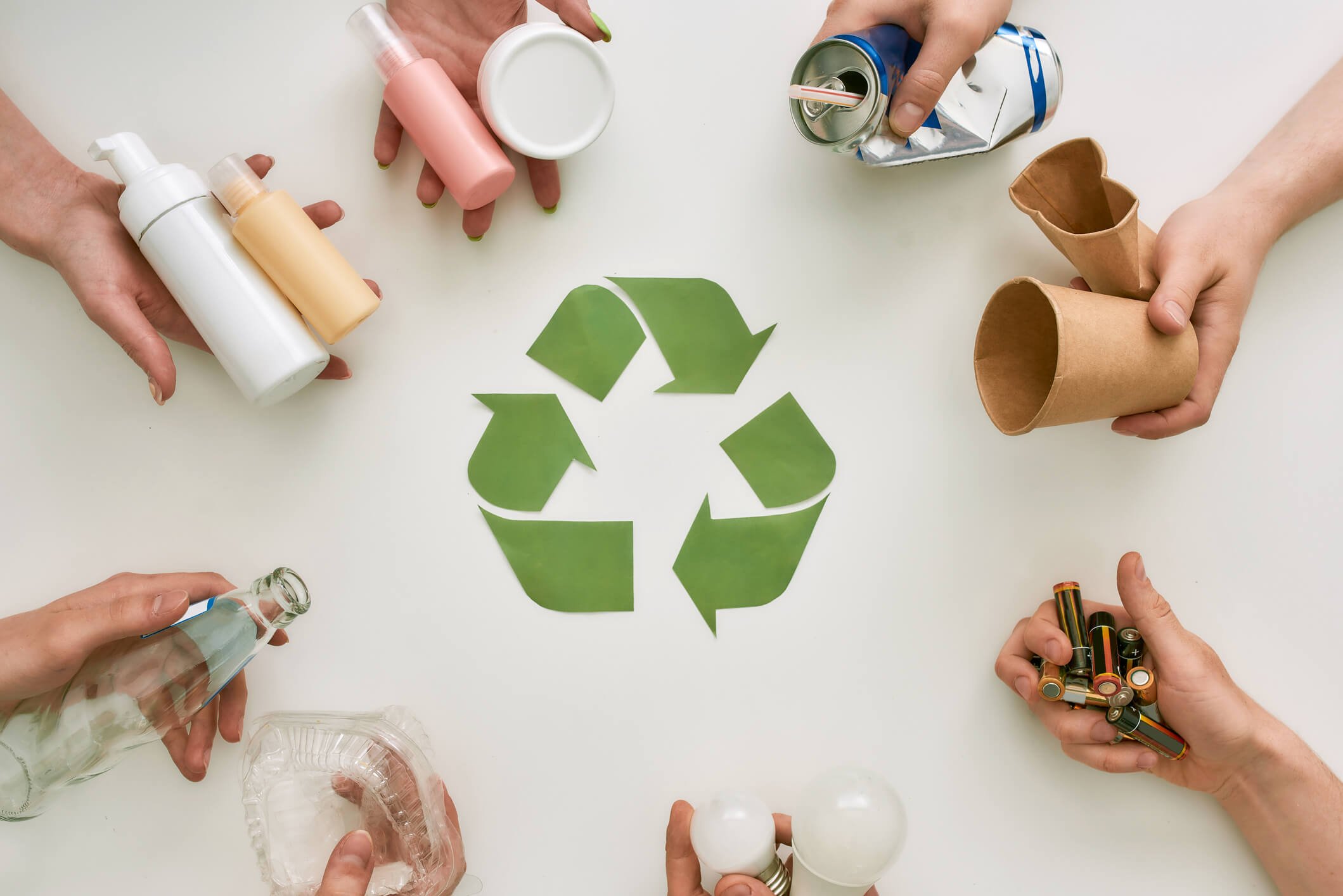
Hands holding various recyclable items such as plastic bottles, aluminum cans, glass bottles, paper cups, biodegradable cups, and batteries arranged around a green recycling symbol on a white surface.

PROBLEM STATEMENT

While many people express concern for the environment, their daily habits rarely reflect sustainable choices. High costs, limited access to eco-friendly products, and a lack of visible impact often discourage action. This project aims to address the value-action gap by designing a digital solution that makes sustainable behaviors easier, more rewarding, and more accessible for everyday users.

HOW THE APP SOLVES THE PROBLEM

The app solves the problem by rewarding users for recycling and repairing, making sustainable actions easier, faster, and more motivating.

USER PERSONA

JASON, BUSY GRAD STUDENT, 27

A young man with glasses, smiling, wearing a light gray sweatshirt with a blue collar, and carrying a black backpack.

BACKGROUND

Jason is a graduate student living in the city with a packed schedule. Between classes, part-time work, and managing life on a budget, he cares about the environment but finds it hard to act on it consistently. He often throws away recyclable items because he doesn't have time to sort them or find where to take them.

GOALS

Take small, realistic steps toward sustainable living. Earn rewards while doing good for the planet. Find easy, fast ways to recycle or repair items without disrupting his routine.

FRUSTRATIONS

Feels guilty about waste but doesn’t know where or how to recycle certain things. Thinks most sustainability apps are too time-consuming or preachy. Doesn’t have space or time to compost or upcycle.

HOW RELOOP

HELPS

ReLoop fits into Jason’s lifestyle with smart kiosks nearby and a Green Truck pickup option he can schedule between classes. He loves using the Smart Scan feature to snap photos of items and earn points instantly. The app helps him stay eco-friendly without added effort, and the coupons don’t hurt either.


A woman with shoulder-length brown hair smiling, wearing a light blue blouse and a beige knitted cardigan.

LENA, WORKING MOM, 34

BACKGROUND

Lena works full-time and has two kids. She cares about the environment but struggles to fit sustainable habits into her busy routine.

GOALS

Set a good example for her kids and reduce household waste without adding stress.

FRUSTRATIONS

Has no time to research recycling rules or visit drop-off centers. Most apps feel like extra work.

HOW RELOOP HELPS

ReLoop’s Green Truck picks up from her doorstep, and the app makes tracking impact simple. Her kids love using it too, making sustainability a family habit.

APP INTERFACE

Smartphone displaying the ReLoop app logo with a recycling symbol and the tagline 'Recycling Made Worth It.'
Mobile app screen welcoming users to ReLoop, prompting to enter a mobile number with a large logo watermark in the background.
Illustration of a smartphone screen showing a recycling app interface with labels pointing to various features. The app displays CO2 tracker, total recycled weight, eco rank badge, cash earned, QR code, refer a friend button, and scan button, with descriptions of each feature.

Navigation In-Depth

Home & Navigation

ReLoop’s main dashboard gives users immediate access to key features like savings, recycling history, and local bottle return stations. The home screen uses icon-based shortcuts, recent activity logs, and simple CTAs to reinforce the app’s purpose: encouraging consistent, rewarding recycling behavior. Tabs at the bottom provide smooth access to map, scan, and profile views, helping users navigate effortlessly between exploration, action, and account management.

Mobile app screen with recycling options and deals, greeting says 'Hey Diana!', icons for truck, kiosk, scan, map, fix/repair, and navigation bar at bottom.
Mobile app interface showing a menu with user profile, home, leaderboard, map, notifications, refer friends, settings, and logout options. Part of the app's background displays recycling information and icons.
Smartphone screen displaying an eco-friendly app dashboard with CO2 tracker, total recycled weight, earnings, and various icons for features.
GO UP

MAP

The Map feature helps users locate nearby recycling services with ease. Users can toggle between Repair Shops and Smart Kiosks, instantly updating the map with relevant pins based on their selection. Tapping a location reveals key details like address, shop image, and user ratings—ensuring users can make informed choices. The integrated navigation route ensures seamless guidance from their current location to the selected destination, simplifying the recycling journey.

Mobile app map screen showing repair shops and smart kiosks along streets like Warren Street and Broadway, with navigation features and menu icons at the bottom.

On Boarding

Mobile screen displaying a verification page with a message about an OTP sent to a phone number, a field to enter the OTP, a 'Resend OTP' button, and a forward arrow button.

The onboarding flow ensures a smooth and secure entry into ReLoop. It begins with a splash screen and mobile number input, followed by OTP verification and personal detail setup. Users are then prompted to create a 4-digit login PIN for added security

Mobile phone screen displaying a 'Set Login PIN' setup page with fields to enter and confirm a 4-digit PIN, a back arrow at the top left, and a large teal arrow button at the bottom right.
Mobile app screen showing a map with repair shops, including 'Sole Stitchers' for shoe repairs located in Brookville, NY, with shop details and ratings at the bottom.
Mobile app screen showing personal details form with fields for first name, last name, email address, birth date, and gender options for female and male. The screen also has a back arrow, a plus icon for adding a photo, and a right arrow button for navigation.
Mobile app display showing a map with a route from a repair shop to a shoe repair service called Sole Stitchers at 4829 Elmridge Parkway, Brookville, NY. The app offers options for Repair Shop and Smart Kiosk, with icons for shoe repair and nearby services, and navigation at the bottom.
Mobile app screen displaying personal details form with a profile picture, name "Diana Williams," email address, birth date, and gender options as female or male.
Mobile phone screen displaying an app for a drop-off kiosk. The app features an image of a white kiosk and text describing it as a place to recycle instantly at a nearby smart station with open daily hours.
Mobile app screen showing a recycling kiosk for preparing drop-off of glass materials, with options to select weight, number of bags, and estimated earnings.
Smartphone screen displaying a map with repair shop and smart kiosk icons, navigation arrow, and app icons at the bottom.
Mobile app screen for scheduling a drop-off appointment. The interface features a calendar with the selected date 10 highlighted, and a time selection set for 4:00 PM. A green button labeled 'Schedule Ticket' is at the bottom.
Mobile app screen showing a map with nearby repair shops and a Costco booth, displaying address and ratings.
Smartphone screen displaying a map with a route to a Costco wholesale store located at 4829 Elmridge Parkway, Brookville, NY. The screen shows icons for repair shops and a smart kiosk, with navigation options at the bottom for currency, green thumbs, home, map, and user profile.

Smart Kiosk

The Smart Kiosk journey helps users plan drop-offs with ease. It starts with an explanation of the feature, followed by a streamlined flow to select materials, input amounts, and view CO₂ savings and expected earnings. Users can schedule a time slot, receive a confirmation summary.

Map-Smart Kiosk

Map feature shows the nearest kiosk, all from within a clean and intuitive interface designed for action.

Mobile app screen showing a photo of cans of pop on a shelf, with the middle can labeled 'poppi' and flavored raspberry. The app is evaluating the photo with text 'AI Will Evaluate Your Photo' and has a home icon at the bottom.
Mobile screen showing a rewards app with options to redeem points for gift cards, cash out, or coupons.
Smartphone screen showing a shopping app evaluating cans of pop with a battery percentage of 78%. The cans are orange, pink, and red with fruit-themed labels, inside a refrigerator or cooler.
Mobile phone screen showing a referral and earning program for coins, with a purple gift box graphic, referral code ADBTHXZ, and FAQ section about the program.
Mobile app screen displaying an AI evaluator for aluminum cans with a picture of three colorful cans and estimated rewards information.
Mobile app screen showing a user profile page for John Williams, an active member who saved 23 trees and earned $98.65. The profile includes a circular photo, name, membership status, account status, and options for legal info, refer & earn, feedback, terms and about us.
Mobile app leaderboard screen showing top three ranked individuals with their profile pictures and points, and a list of lower-ranked participants with identical points.

Notification & QR Scanning

The AI Evaluator and QR Scanner flows show the seamless process of uploading a recycling photo, receiving a percentage match, and verifying item types for accurate reward calculation.

Rewards & Refer

The rewards system motivates users by clearly showing available points and cash balance, while offering flexible redemption options—gift cards, cash out, or exclusive coupons. The "Refer & Earn" and leaderboard gamify the experience, driving social engagement and competition. The profile section neatly displays environmental impact and earnings, reinforcing user contribution and progress.

Mobile app screen showing a ticket summary for a ride reservation on April 23, 2025, at 6:00 PM, with a reservation status of 'Reserved!'. The summary includes earnings of $27.44, pick-up fees of -$3.99, tax of $0.00, and a total of $23.44. The bottom has a 'Done' button and navigation icons.
Smartphone screen displaying notifications including account activation, leaderboard achievement, credit receipt, coupon eligibility, and the option to clear notifications.
Smartphone screen displaying a mobile app with a green truck image and text about recycling and neighborhood collection.
Mobile app screen showing instructions to schedule a pickup, with a calendar and clock icon, and options to skip or proceed.
Mobile app screen showing options to prepare for a pickup of a green truck with selection for glass material, estimating 35 pounds and 5 bags, with details for CO2 saved, cash earned, and points earned.
Mobile phone screen displaying environmental impact statistics related to recycling paper, aluminum, and steel, with progress bars and numerical data.

Green Truck

The Green Truck is a real vehicle that collects users’ recyclable items directly from their location. Users scan a QR code when the truck arrives to earn points based on what they return. This system bridges physical recycling with digital rewards, making eco-actions more immediate and trackable.

More In The App

These screens highlight user incentives and educational engagement. The Eco-Information screen visualizes the impact of each recycling action—tracking materials like paper and aluminum—and displays corresponding eco-points earned.

The Notifications screen delivers personalized feedback and rewards, such as leaderboard achievements, cash credits, and local discount coupons, reinforcing positive recycling behavior through instant gratification and gamification.